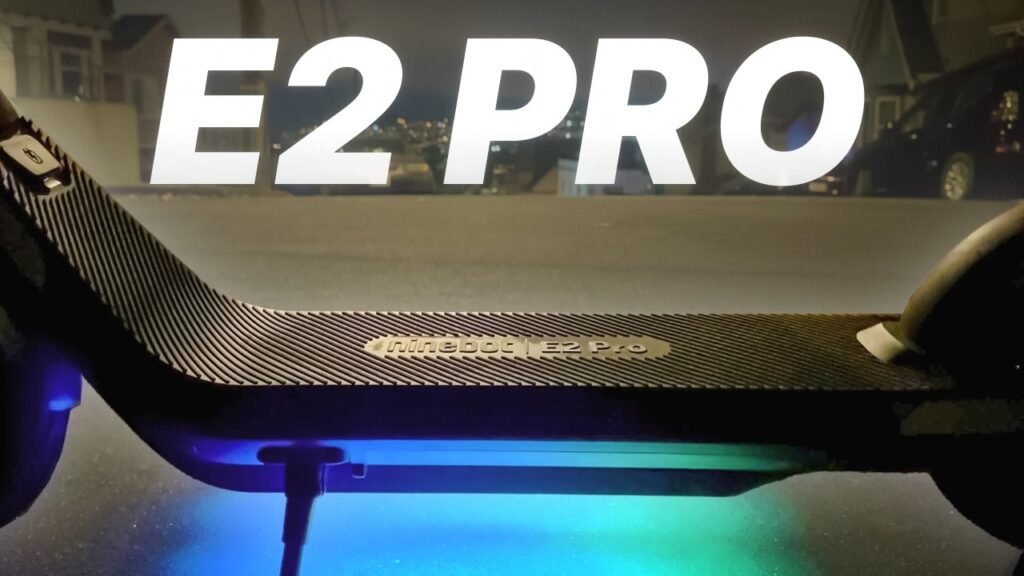
https://www.youtube.com/watch?v=vY84m09sx8Q — Segway E2 Pro Review: Range, Hill Climbing, and Ride Test Summary
This Segway E2 Pro review finds an affordable electric scooter that meaningfully improves on Segway’s inexpensive E2 platform. The main upgrade isn’t a dramatic increase in top speed; it’s the combination of stronger hill climbing, larger pneumatic tires, and a longer claimed range that makes the Pro more suitable for adult riders.
According to Electric Scooter Guide’s original test, the E2 Pro is the top model in Segway’s E-Series lineup. The creator positions it at roughly 00:45–01:20 as the version that adds the power and range the basic E2 models were missing. Its headline specifications are a firmware-limited 15.5 mph top speed, a claimed 16.8-mile range, a 350-watt nominal rear motor, and watts of peak output.
The trade-offs are equally clear. You get no suspension, no zero-start mode, and turn signals that stay active until you cancel them manually. A 15.5 mph ceiling may also feel restrained if you regularly ride with faster traffic or want a more exciting commute. Still, as demonstrated in the video, the E2 Pro offers a stronger everyday package than the regular E2, particularly for moderate hills and heavier adult riders.
Bottom line: choose the E2 Pro when dependable hill performance and a smoother tire setup matter more than outright speed or premium comfort. In 2026, verify the current price, firmware behavior, warranty, and local riding rules before ordering.

Key takeaways from the Segway E2 Pro review
The quickest way to understand this Segway E2 Pro review is to focus on the measured results rather than the marketing claims. Electric Scooter Guide tested the scooter’s acceleration, speed, hill climbing, controls, and ride quality in conditions designed to make comparisons useful.
- Top speed: 15.5 mph, limited by firmware.
- Acceleration: 0–15 mph in 7.4 seconds.
- Hill test: 19.0 seconds on the creator’s approximately 10% grade.
- Tires: tubeless, air-filled 10-inch tires designed to resist punctures and self-seal.
- Smart features: Apple Find My support, traction control, cruise control, and app-based settings.
- Controls: four riding modes, a visible dashboard, audible turn-signal beeps, and under-deck lighting.
The E2 Pro costs about $150 more than the $349 E2 Plus, but the creator says it provides roughly 50% quicker hill climbing and 50% more claimed range. That price difference is easiest to justify if you’re an adult, carry extra weight, or ride routes with bridges, ramps, or sustained inclines. On flat paths, a lighter rider with a tight budget may not notice as much benefit.
One qualification matters: the range ride was still in progress when the supplied transcript ended. Segway’s 16.8-mile figure is therefore separate from Electric Scooter Guide’s final independently measured result, which isn’t provided here. Don’t present the manufacturer’s number as a verified real-world distance.
Simple recommendation: select the Pro for hill performance and everyday dependability. Select a cheaper E2-series model only if flat terrain, lower rider weight, or the lowest possible purchase price is your main concern.
What changed from the E2 and E2 Plus?
The E2 Pro is more than a cosmetic refresh. In the creator’s comparison at approximately 00:00–01:30, the original E2 was priced at $279 and the E2 Plus at $349, while the Pro adds a stronger motor, larger tubeless tires, and a claimed 16.8-mile range. Those changes address the two areas that most limit inexpensive scooters: climbing ability and ride comfort.
The E2 and E2 Plus use semi-solid tires. They’re highly resistant to flats, but their limited air volume transmits more vibration through rough pavement. The Pro changes to 10-inch pneumatic tires described in the video as puncture-resistant and self-sealing. You still need to maintain them, but the larger air cushion makes the scooter feel less skittish and more adult-oriented.
| Model | Video-reported price | Motor and tires | Range claim | Hill performance | Likely rider |
|---|---|---|---|---|---|
| E2 | $279 | Lower-output motor; semi-solid flat-proof tires | Not specified in the supplied segment | Baseline; weaker on hills | Teens, students, flat routes |
| E2 Plus | $349 | Earlier E-Series motor; semi-solid tires | Lower than Pro’s claim | Below E2 Pro | Budget-conscious casual riders |
| E2 Pro | About $150 above E2 Plus | 350 W nominal, W peak; tubeless 10-inch tires | 16.8 miles claimed | 19.0 seconds on a 10% test hill | Adults and moderate hills |
These are video-reported specifications where independent figures weren’t available. The practical difference is straightforward: the E2 was designed more around short trips for teens and college students, while the Pro has enough extra output to handle ordinary adult commuting more confidently. For additional background, see the Electric Scooter Guide channel, which the creator references when discussing the earlier E2 review.

Motor, speed, and hill-climbing performance
Power comes from a rear-wheel motor rated at watts nominal and watts peak. Nominal power describes the output the motor can sustain under normal conditions; peak power is a short-duration ceiling useful for acceleration and brief climbs. Peak wattage alone doesn’t guarantee hill performance because battery charge, rider weight, controller tuning, motor temperature, and grade all matter.
In the controlled speed run, the scooter reached its 15.5 mph firmware limit. Electric Scooter Guide recorded 7.4 seconds from to mph, beating the identically priced Segway KQi2 Pro by seconds in the creator’s comparison at approximately 02:00–03:35. The launch requires a kick because the E2 Pro isn’t a zero-start scooter, but once moving, acceleration feels responsive without being difficult to control.
The hill test is more revealing. The route rose feet over feet, equivalent to approximately a 10% grade. The E2 Pro completed it in 19.0 seconds—more than a second faster than the KQi2 Pro and about 50% faster than the standard E2. The creator explains around 05:00–05:30 that this solves his main concern with the original E2, which might fail on some common inclines.
Use those numbers as buying guidance, not a promise for every route. If your commute includes frequent slopes, ramps, bridges, or a heavy rider-and-cargo load, prioritize the Pro over the regular E2. It should handle ordinary inclines well, but riders facing steep, long hills should consider a scooter with more motor capacity and suspension.
Range, riding modes, and everyday usability
Segway claims 16.8 miles per charge, but the real distance you’ll get can be considerably different. Rider weight, hills, temperature, tire pressure, speed, wind, frequent stops, and battery age all affect range. In this Segway E2 Pro review, the range ride was still underway after the halfway check, so the manufacturer’s claim should remain clearly separated from the creator’s eventual measured result.
The video identifies four useful riding settings:
- Walk: approximately mph, useful around pedestrians or when walking alongside the scooter.
- Eco: approximately mph.
- Drive: approximately mph.
- Sport: approximately to 15.5 mph.
The throttle is forgiving in every mode. As the creator demonstrates around 06:20–08:00, you can apply full throttle without the scooter yanking backward or demanding delicate finger control. That makes Eco or Drive suitable for a first-time rider, a cautious adult, or a supervised child, although the scooter’s size and local age rules still matter.
To measure your own range, follow a repeatable process:
- Fully charge the battery and record the starting odometer, rider weight, tire pressure, and weather.
- Use one consistent route with the same speed mode and similar traffic conditions.
- Check the battery at the halfway point, noting hills, stops, and wind.
- Continue until the scooter reaches its low-battery cutoff, then record the actual distance separately from the 16.8-mile claim.
Ride comfort, tires, deck, and handling
The largest comfort improvement over the E2 and E2 Plus comes from the move to tubeless 10-inch air-filled tires. The creator describes them as self-sealing and puncture-resistant at approximately 08:00–09:00, while the earlier models use semi-solid tires. Pneumatic tires can deform around small cracks and rough patches, reducing vibration through the handlebars and deck.
Electric Scooter Guide’s ride impressions are favorable. The E2 Pro has a large, wide deck with a grippy rubber surface, oversized comfortable grips, and a quiet chassis. It feels smoother than the smaller E2 models even though there’s no mechanical suspension. That combination gives the scooter a stable, planted character for ordinary streets and paved paths.
There is a limit, however. Tires aren’t a substitute for suspension on broken sidewalks, repeated potholes, expansion joints, or long rides over rough pavement. If your route is harsh, you may feel sharp impacts through your wrists and feet, and you should slow down rather than rely on the tires to absorb everything.
Protect the comfort and handling with basic maintenance:
- Check pressure before each ride, especially after the scooter has been stored.
- Look for nails, glass, cuts, or debris embedded in the tread.
- Never ride at speed with a visibly soft tire.
- Use the pressure range listed in Segway’s official product information and manual.
- Recheck pressure after major temperature changes, since air pressure shifts with temperature.
Controls, safety features, and smart tracking
Traction control is one of the Pro’s more useful additions. It can help limit wheel spin on damp pavement, painted road markings, or loose surfaces, but it doesn’t create grip where none exists. You still need to reduce speed before wet corners, brake progressively, and avoid aggressive throttle inputs on slippery ground.
Apple Find My integration adds a practical location feature. You can use it to help locate the scooter or support recovery after it has been moved, but it isn’t an anti-theft guarantee. Park in a visible secure place, lock the frame with a quality physical lock, and don’t assume a tracking signal will recover a scooter by itself.
The cockpit is easy to read. It shows speed, battery level, and riding mode, while the rocker-style turn-signal switch provides tactile feedback and audible beeps. The scooter also has a basic bell, under-deck lighting, and signals visible from the riding position and to people ahead or behind you.
The creator identifies two annoyances. First, the turn signals don’t self-cancel; they continue until you press the switch again. Second, a cable tapping against the handlebar creates a persistent rattle. A small piece of cloth tape can quiet that cable, but you should inspect the area during setup so the fix doesn’t interfere with steering or controls.
Setup, app requirements, and starting behavior
Assembly is simple. The box includes a 1.7-amp charger, documentation, one tool, and a safety message. You slide the stem into position and tighten two bolts using the included Allen wrench. Before riding, check that both bolts are secure, the folding mechanism is locked, the brake operates correctly, and the tires are properly inflated.
The app requirement is more significant than the short assembly process. During setup, the scooter beeped and would not exceed mph in Sport mode until it connected to the app. Follow these steps before your first trip:
- Install the Segway-Ninebot app on your phone.
- Pair the scooter while it is charged and powered on.
- Complete any firmware update and review the available settings.
- Confirm the speed mode, cruise-control setting, lights, and safety options.
- Test the brakes and acceleration in a clear area before joining traffic.
The E2 Pro also requires a kick start. You must push off before the motor engages, and the creator found no app option for zero-start operation. Around 02:20–03:00 and 07:20–08:00, the video shows that pressing the throttle before kicking produces no useful launch, so you need to coordinate the push and throttle.
Kick start improves low-speed safety because the scooter won’t leap forward from a standstill. It can still frustrate riders who expect immediate motor engagement, especially when starting on an incline. Practice on level ground first, then learn how much momentum you need for your regular starting points.
Who should buy the Segway E2 Pro?
This Segway E2 Pro review supports the scooter as a strong choice for adult beginners, moderate-hill commuters, and buyers who value simple controls over maximum performance. Electric Scooter Guide opens by describing Segway’s established reputation for reliable, well-built scooters, while also acknowledging that the brand often costs more than generic budget alternatives.
The E2 Pro makes sense if you want a broad deck, quiet operation, low mechanical complexity, traction control, and Apple Find My support. It’s particularly appealing when your route includes everyday slopes rather than extreme hills. The 19.0-second result on the approximately 10% test grade gives you a useful reference point, although your rider weight and battery level may change the outcome.
Consider another model if you need suspension, a top speed above 15.5 mph, true zero-start acceleration, very long real-world range, or strong performance on steep grades beyond the tested hill. A larger scooter may be heavier and more expensive, but those compromises can be worthwhile for rough roads or long commutes.
Before buying in 2026, work through this checklist:
- Measure the steepest incline on your route.
- Estimate total rider, backpack, and cargo weight.
- Decide whether 16.8 claimed miles covers your round trip with a healthy reserve.
- Confirm that Apple Find My works with your phone and region.
- Check Segway’s live price, firmware, warranty terms, replacement-battery availability, and local legal requirements.
How fast does the Segway E2 Pro go?
The video measured a firmware-limited maximum of 15.5 mph. Electric Scooter Guide also recorded a 0-to-15 mph time of 7.4 seconds, so the scooter reaches its ceiling quickly for its price.
How far can the Segway E2 Pro travel on one charge?
Segway claims up to 16.8 miles, but that figure isn’t the same as an independently verified everyday result. Hills, rider weight, speed, temperature, tire pressure, wind, and stop-and-go traffic can all reduce distance; the supplied transcript ends while the creator’s range test is still underway.
Can the Segway E2 Pro climb hills?
Yes. The scooter completed Electric Scooter Guide’s approximately 10% test hill in 19.0 seconds, climbing feet over a 200-foot course. Real performance varies with rider load, battery charge, temperature, and surface conditions, so treat that result as a comparison rather than a guarantee.
Does the Segway E2 Pro have suspension or zero start?
No. It has no suspension and requires a kick before the motor engages. Its 10-inch pneumatic tires make it smoother than the E2 and E2 Plus, but they won’t match the comfort of a scooter with dedicated suspension on severely rough roads.
Are the Segway E2 Pro tires flat-proof?
The tubeless tires are designed to resist punctures and are described in the video as self-sealing. They aren’t invulnerable, so check pressure regularly, inspect for embedded debris, and replace a damaged tire rather than continuing to ride on it.
Final rating and buying checklist
The E2 Pro’s strongest case is balance. It combines Segway’s brand reputation with a 15.5 mph top speed, useful hill-climbing ability, forgiving controls, 10-inch tires, traction control, and Apple Find My tracking. It doesn’t offer premium comfort or high speed, but it addresses the regular E2’s biggest weakness without becoming complicated to operate.
Before placing an order, confirm the current price and regional availability, then compare your real route with the 16.8-mile claim while leaving reserve for weather and battery aging. Pair the app, check firmware, inspect the folding hardware, set tire pressure, and budget for a quality lock and certified helmet. Those steps matter more than small differences in advertised wattage.
As the creator explains around 05:00–05:30, the E2 Pro should handle the vast majority of ordinary inclines and is about 50% faster up the test hill than the standard E2. That’s the central takeaway from this Segway E2 Pro review.
Final verdict: the E2 Pro is a strong budget option for adult beginners, a useful upgrade for E2 or E2 Plus owners who need more climbing ability, and a poor fit for riders seeking high speed, long-range touring, or suspension-equipped comfort.

Key Takeaways
- The Segway E2 Pro reached its 15.5 mph firmware limit and accelerated from to mph in 7.4 seconds.
- Its 19.0-second result on an approximately 10% hill was more than a second faster than the KQi2 Pro and about 50% faster than the regular E2.
- The 16.8-mile figure is Segway’s claimed range; actual range depends heavily on rider weight, hills, speed, temperature, and tire pressure.
- Tubeless 10-inch pneumatic tires, traction control, Apple Find My, and a wide deck make the Pro more practical for adult commuting.
- The scooter is not ideal if you need suspension, zero-start acceleration, a speed above 15.5 mph, or strong performance on very steep hills.
Frequently Asked Questions
How fast does the Segway E2 Pro go?
Electric Scooter Guide measured a firmware-limited top speed of 15.5 mph. The scooter reached mph from a standstill in 7.4 seconds, although you must kick off because it doesn’t support zero-start operation.
How far can the Segway E2 Pro travel on one charge?
Segway claims a maximum range of 16.8 miles. Your actual distance may be lower because of rider weight, hills, speed, temperature, tire pressure, wind, and repeated stops; the supplied video transcript does not include the creator’s final range-test result.
Can the Segway E2 Pro climb hills?
Yes. It completed the creator’s 20-foot climb over feet, approximately a 10% grade, in 19.0 seconds. Battery charge, rider weight, road surface, and hill length will affect your result.
Does the Segway E2 Pro have suspension or zero start?
It has neither suspension nor zero-start acceleration. You need to push off before using the motor, while the 10-inch pneumatic tires provide a smoother ride than the semi-solid tires on the E2 and E2 Plus.
Are the Segway E2 Pro tires flat-proof?
The tubeless tires are designed to resist punctures and are described as self-sealing. They still require regular pressure checks and inspection for cuts, nails, glass, and other damage.
